
A Chrome extension for YouTube
YouTube, made readable.
Every other tool summarizes YouTube in a panel beside the video. Tubelator puts subtitles, translations and AI answers directly on the video itself, even for videos with no captions at all.
- Chrome, Edge & Brave
- 161 languages
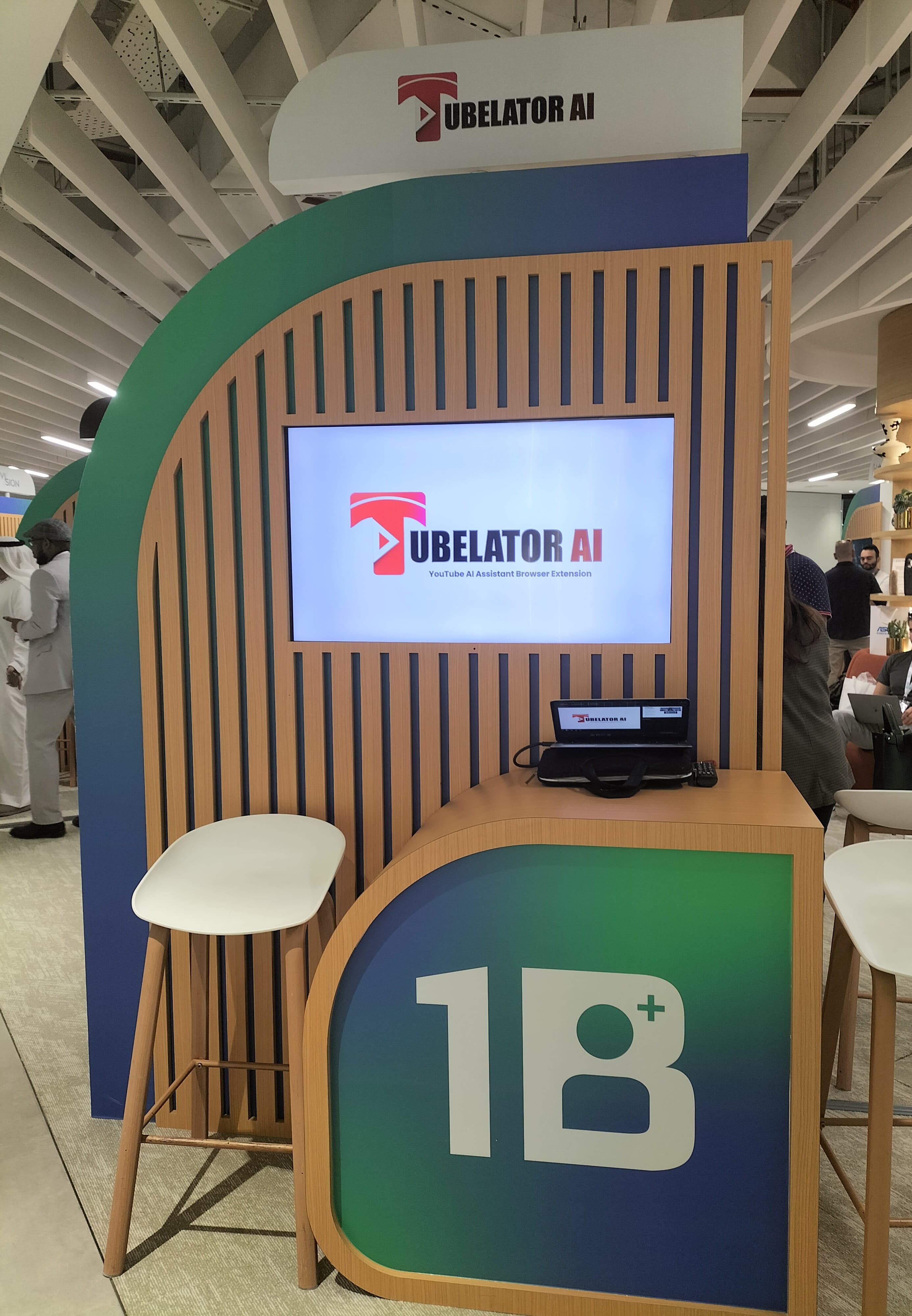
1 of 25 shortlisted for 1B Pitches, Dubai
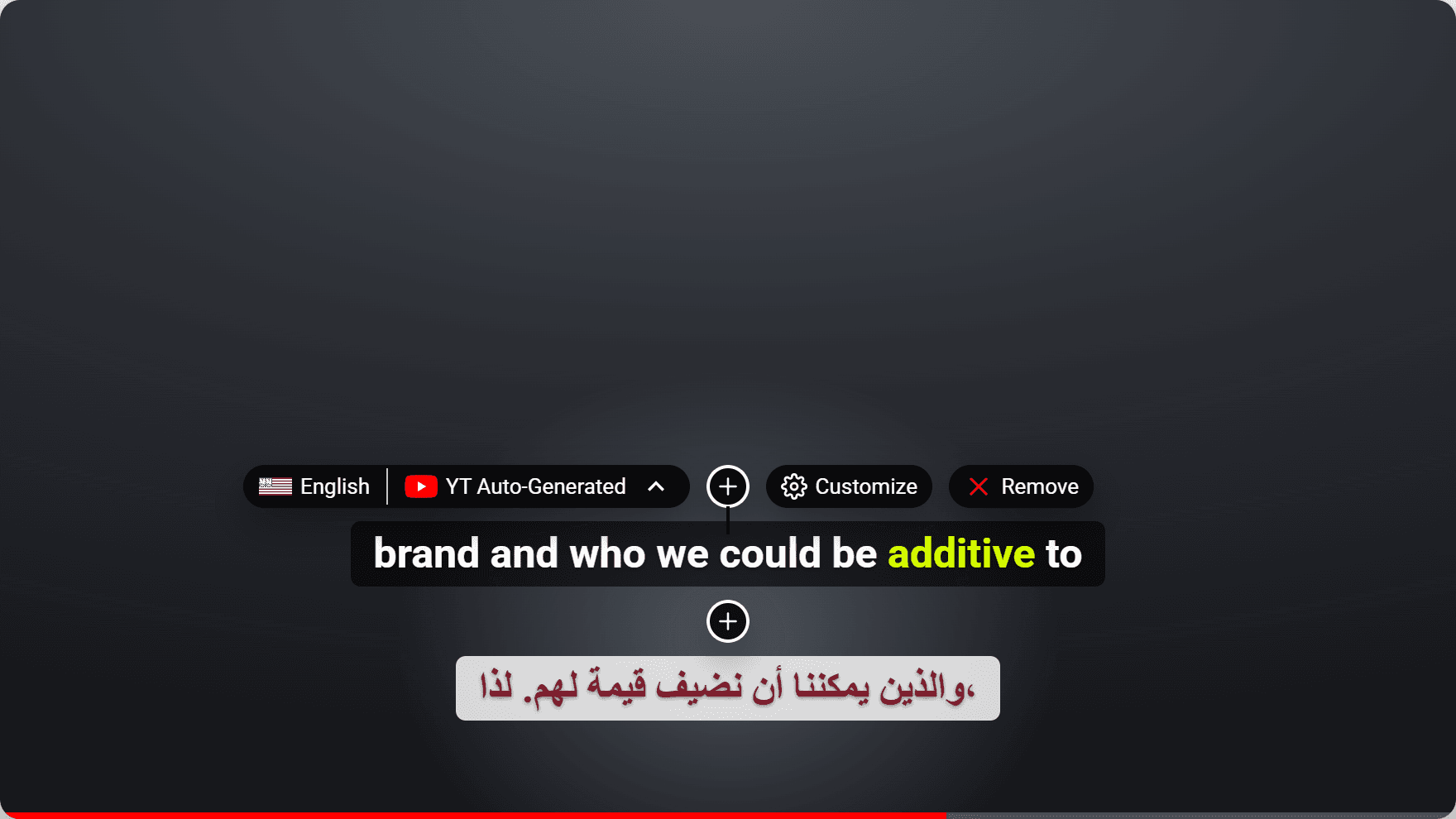
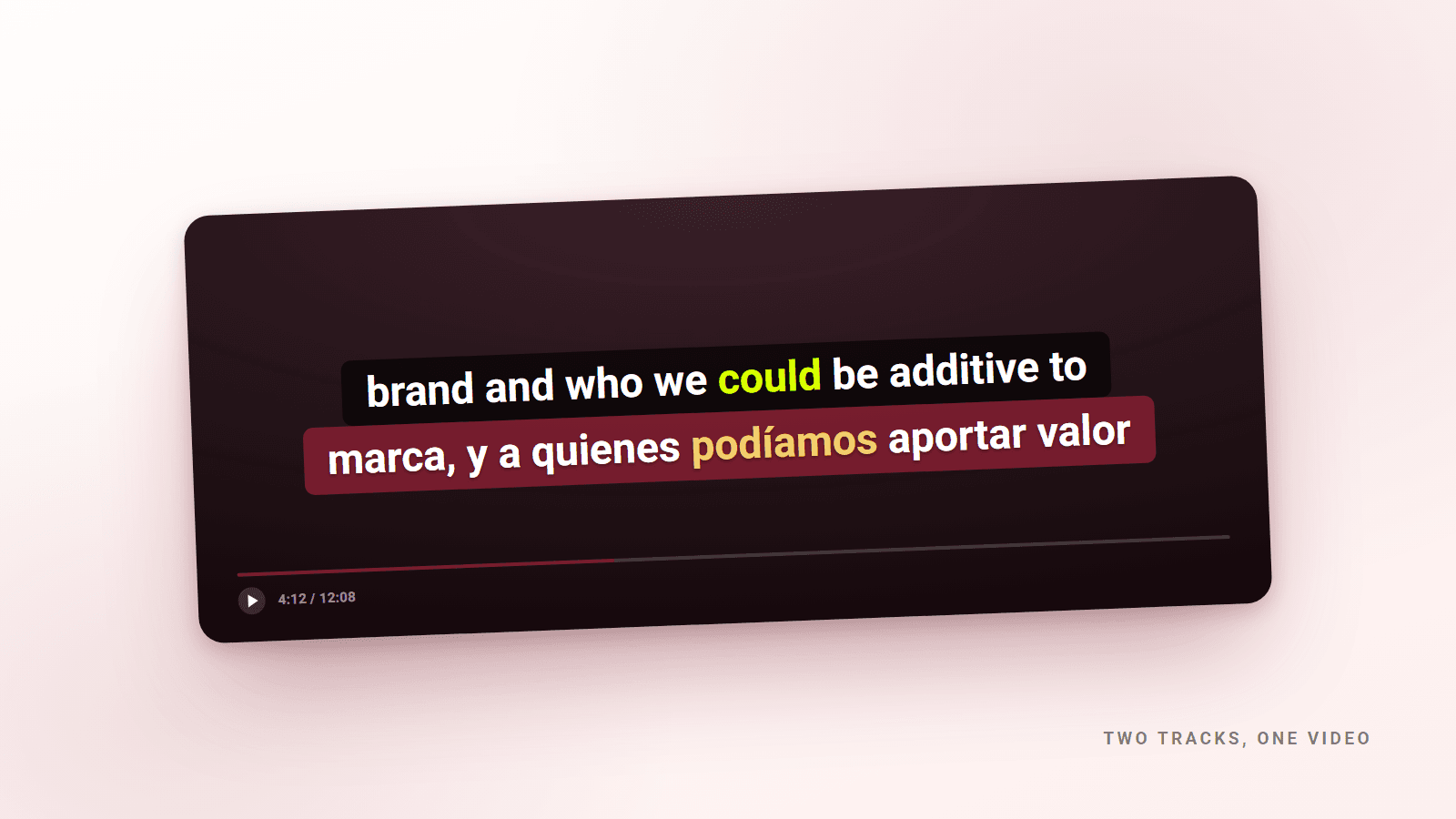
Two languages at once, on the video itself.
Light Minimal
Bold Contrast Box
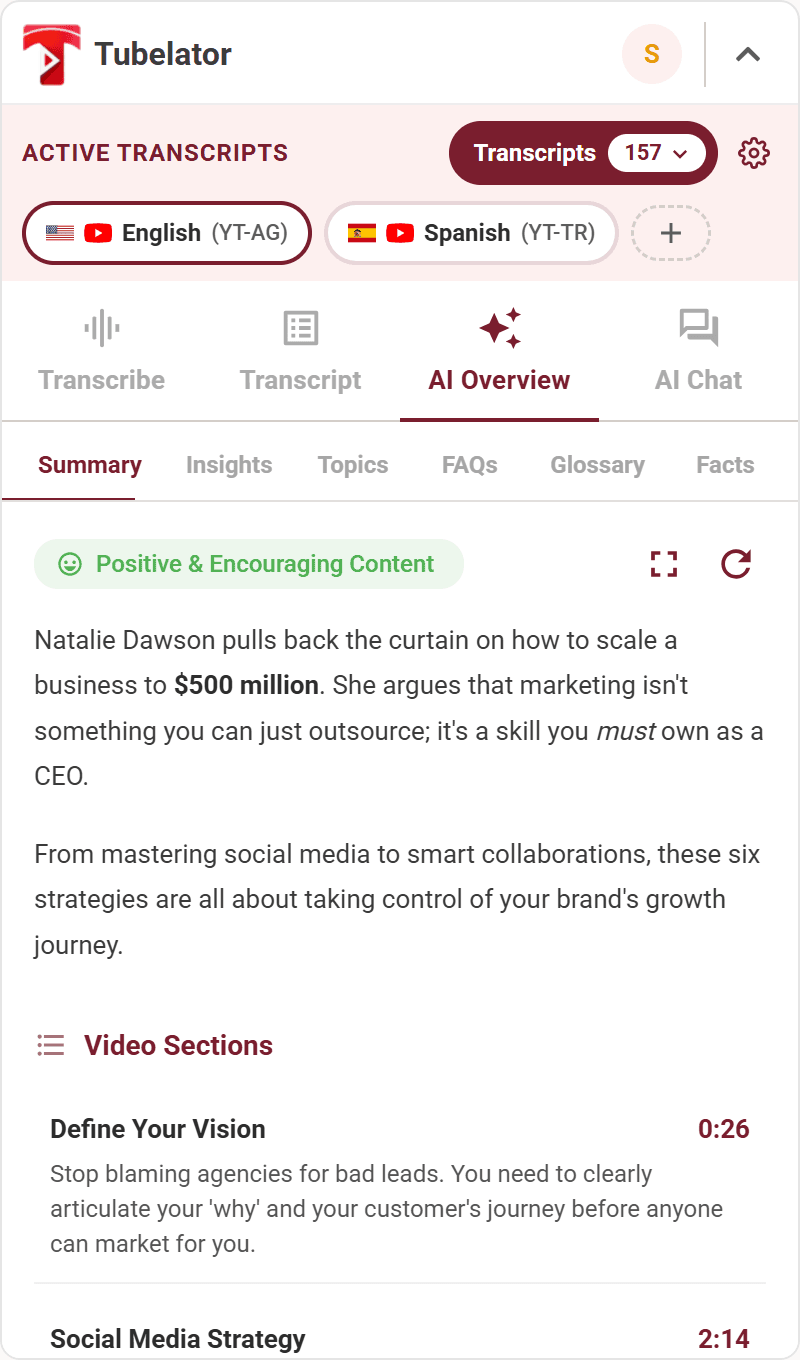
Watch it work — 1 / 8
Open any video
The panel is already there, in the sidebar where YouTube left the space.

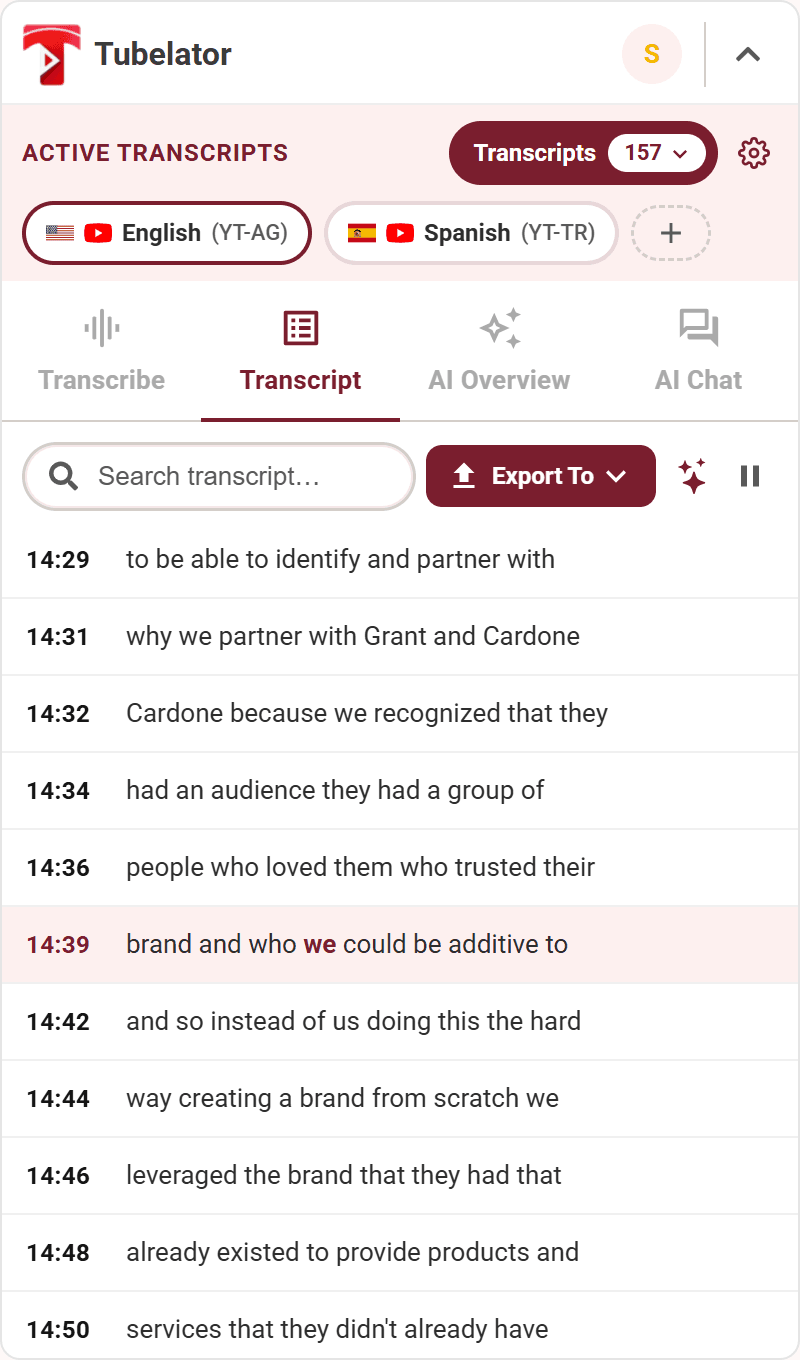
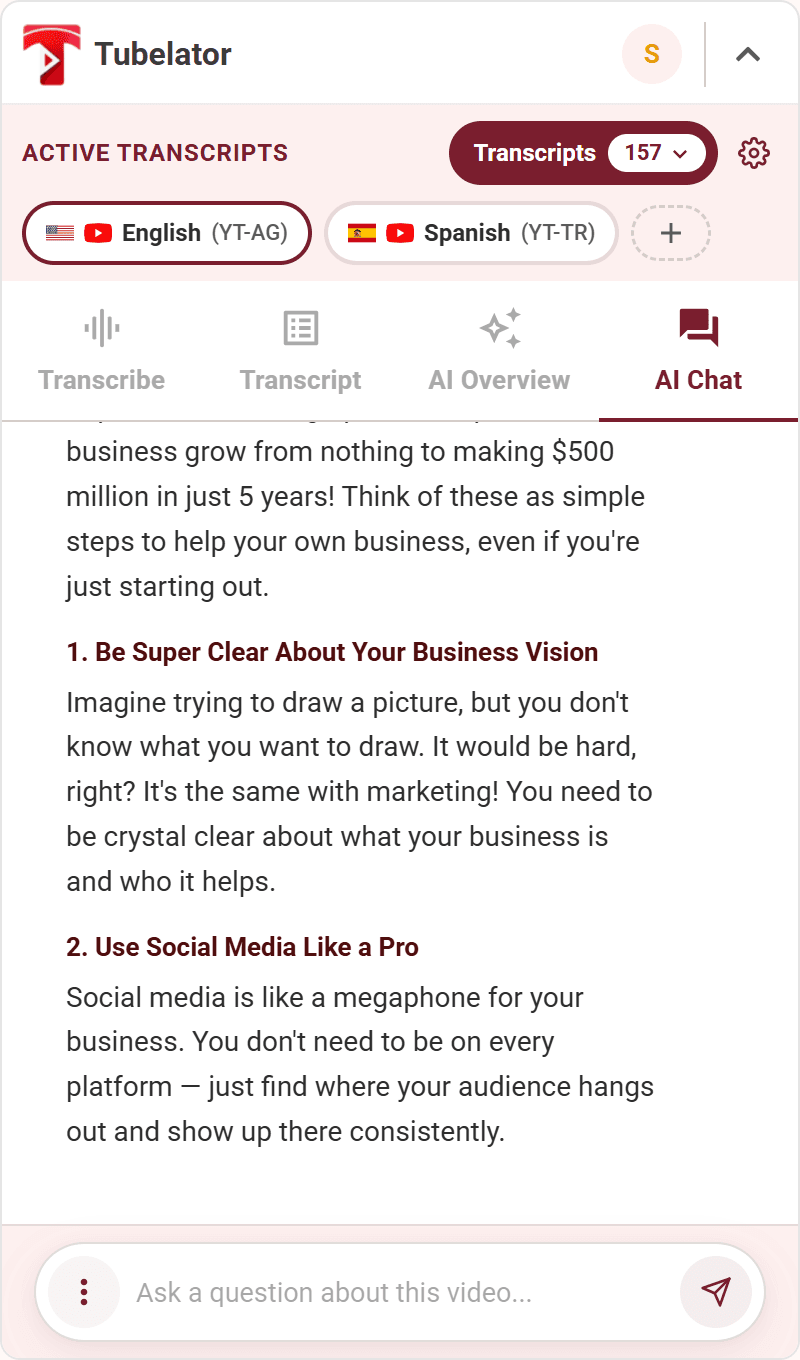
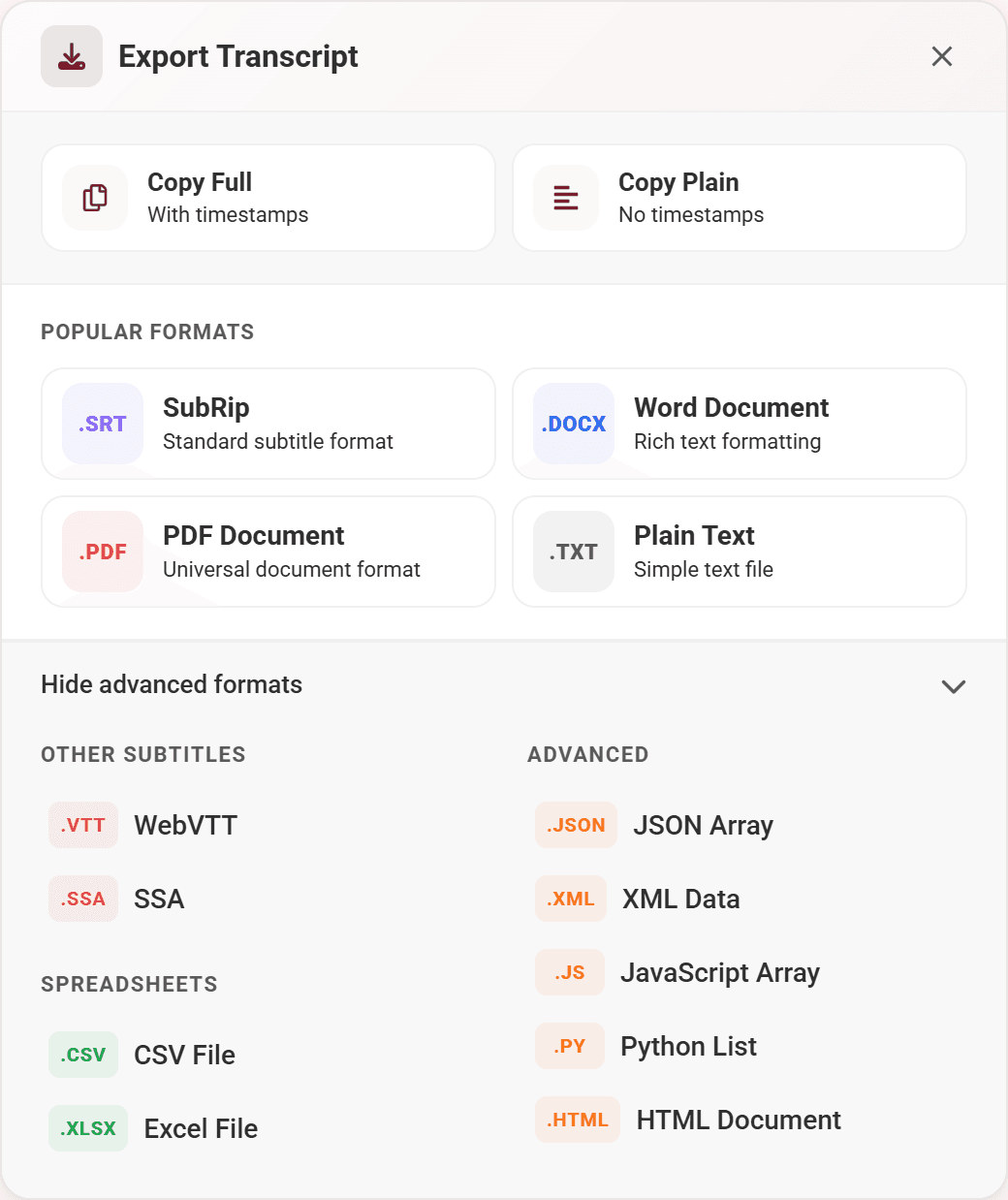
Watch it work
One video, start to finish.
1 · Open any video
The panel is already there, in the sidebar where YouTube left the space.
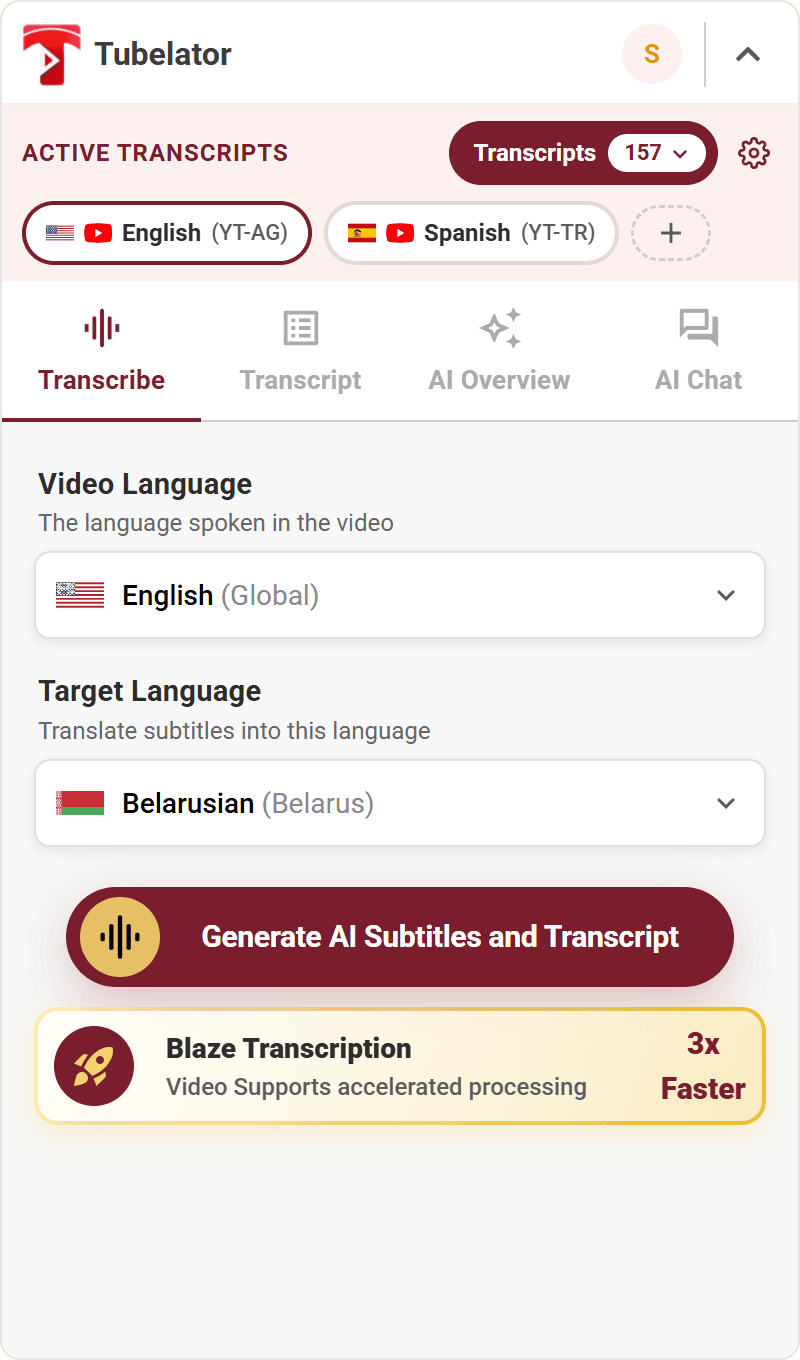
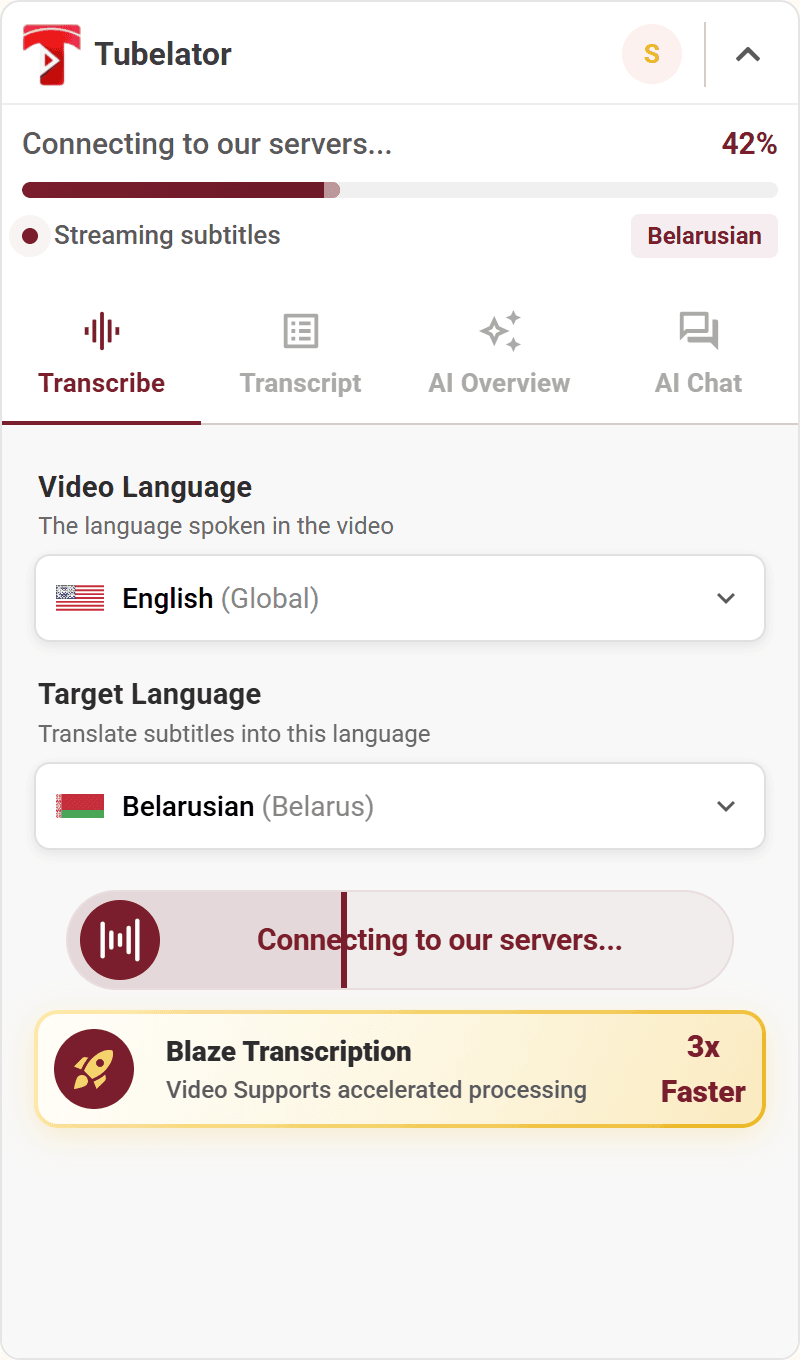
2 · Transcribe it
Timestamped in about a minute, even when the video has no captions at all.
3 · Stack a second language
Two subtitle tracks at once: the speaker's, and yours underneath.
4 · Follow every word
The transcript lights up as it's spoken. Click any line to jump there.
5 · Loop the hard part
Mark a passage and it repeats, for as long as you need to hear it.
6 · Ask for the point
A structured overview in the tone you pick: summary, insights, FAQ and more.
7 · Question the video
Answers grounded in the transcript, with the timestamp to prove it.
8 · Take it with you
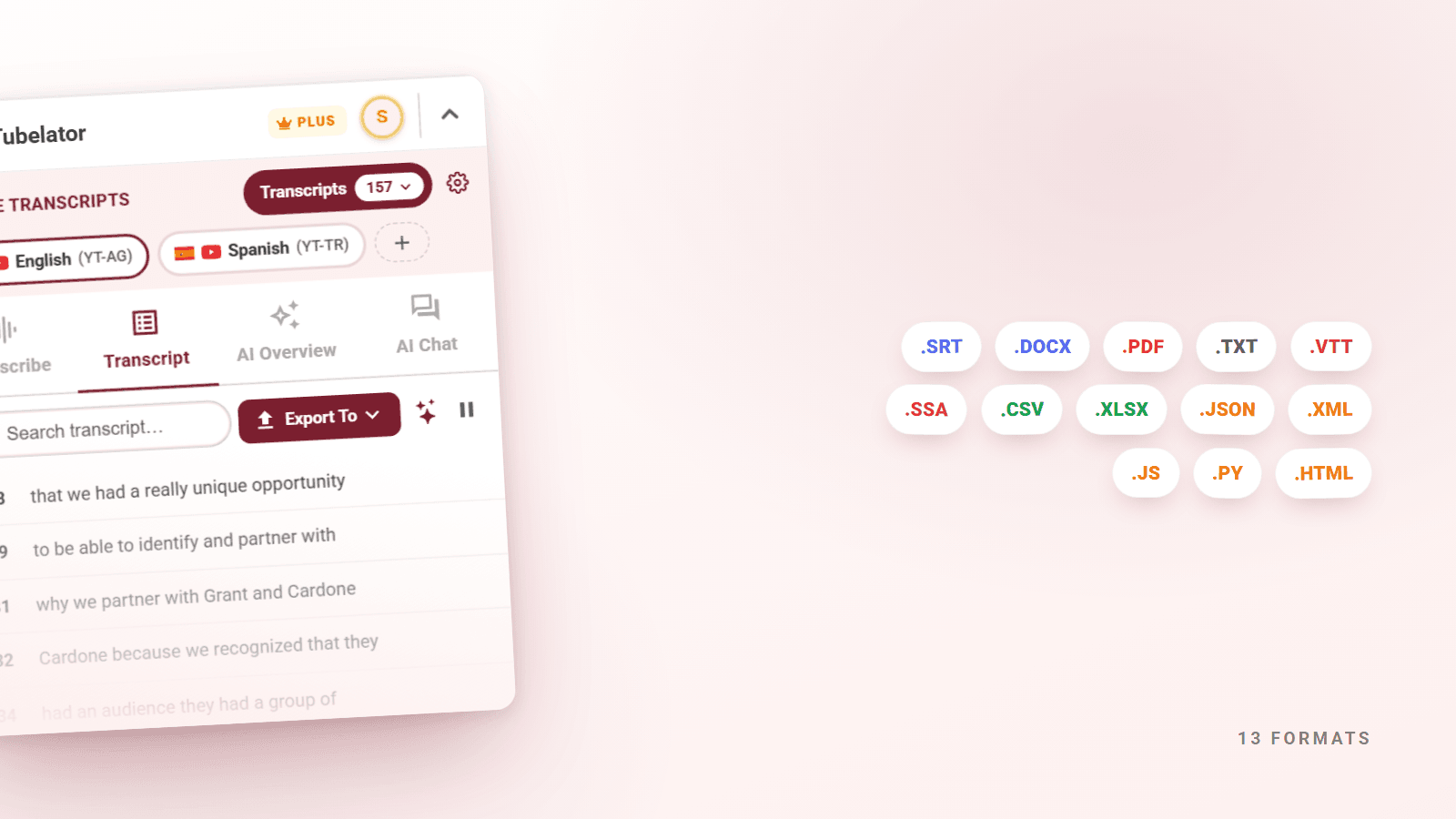
Thirteen formats, one click. Subtitles, documents, spreadsheets, code.
Recognition
Selected as one of 25 startups worldwide
From 500 applications across 40 countries, a jury shortlisted 25 startups for 1B Pitches at the 1 Billion Followers Summit in Dubai, judged on feasibility, market potential, innovation and scalability.
In the press
- Aletihad(opens in a new tab)26 November 20241 Billion Followers Summit, Shorooq contribute Dh50 million to 1B Pitches
- Emarat Al Youm(opens in a new tab)26 November 2024قمة المليار متابع تعلن القائمة القصيرة لمسابقة المليار
- Zawya(opens in a new tab)26 November 2024Shorooq contribute AED 50 million to 1B Pitches competition
Shortlist announced 26 November 2024; the summit itself ran in Dubai in January 2025.
On the video, not beside it
Every tool we know of puts its summary in a panel beside the player. Tubelator renders subtitles onto the video itself, with word-by-word highlighting and your own styling. The transcript, overview and chat still live in the sidebar.
Loop any segment of the transcript to repeat it while you listen. Built for language learners re-hearing a phrase, not for watching a video once and moving on.
The only ONE extension who Summaries & Transcript ON THE VIDEO and not only on the left side of the video.
Specifics
Counted, not claimed.
Every number on this page is a list you can read rather than a figure to take on trust. Here are all three of them.
161Languages
Transcribe the speaker's language, then translate into yours — or read the track YouTube already has.
- English
- Abkhazian
- Afar
- Afrikaans
- Akan
- Albanian
- Amharic
- Arabic
- Armenian
- Assamese
- Aymara
- Azerbaijani
- Bashkir
- Basque
- Belarusian
- Bengali
- Bhojpuri
- Bosnian
- Breton
- Bulgarian
- Catalan
- Cebuano
- Chinese
- Chinese (Simplified)
- Chinese (Traditional)
- Corsican
- Croatian
- Czech
- Danish
- Divehi
- Dutch
- Dzongkha
- English (Australia)
- English (United Kingdom)
- Estonian
- Ewe
- Faroese
- Fijian
- Filipino
- Finnish
- French
- Ga
- Galician
- Ganda
- Georgian
- German
- Greek
- Guarani
- Gujarati
- Haitian
- Hausa
- Hawaiian
- Hebrew
- Hebrew
- Hindi
- Hmong
- Hungarian
- Icelandic
- Igbo
- Indonesian
- Inuktitut
- Irish
- Italian
- Japanese
- Javanese
- Kalaallisut
- Kannada
- Kazakh
- Khasi
- Khmer
- Kinyarwanda
- Korean
- Krio
- Kurdish
- Kyrgyz
- Lao
- Latin
- Latvian
- Lingala
- Lithuanian
- Luba-Lulua
- Luo
- Luxembourgish
- Macedonian
- Malagasy
- Malay
- Malayalam
- Maltese
- Manx
- Maori
- Marathi
- Mongolian
- Morisyen
- Myanmar
- Nepali
- Newari
- Northern Sotho
- Norwegian
- Nyanja
- Nynorsk
- Occitan
- Odia
- Oromo
- Ossetic
- Pampanga
- Pashto
- Persian
- Polish
- Portuguese
- Portuguese (Portugal)
- Punjabi
- Quechua
- Romanian
- Rundi
- Russian
- Samoan
- Sango
- Sanskrit
- Scottish Gaelic
- Serbian
- Seselwa Creole French
- Shona
- Sindhi
- Sinhala
- Slovak
- Slovenian
- Somali
- Southern Sotho
- Spanish
- Sundanese
- Swahili
- Swati
- Swedish
- Tagalog
- Tajik
- Tamil
- Tatar
- Telugu
- Thai
- Tibetan
- Tigrinya
- Tongan
- Tsonga
- Tswana
- Tumbuka
- Turkish
- Turkmen
- Ukrainian
- Urdu
- Uyghur
- Uzbek
- Venda
- Vietnamese
- Waray
- Welsh
- Western Frisian
- Wolof
- Xhosa
- Yiddish
- Yoruba
- Zulu
Tubelator transcribes and translates these itself — 98 of 161, on any video, captions or not. The rest arrive with YouTube’s own caption tracks.
13Export formats
Subtitle tracks for an editor, documents for a reader, spreadsheets for analysis, arrays for code.
- .SRTSubRip
- .VTTWebVTT
- .SSASubStation Alpha
- .DOCXWord
- .PDFPDF
- .TXTPlain text
- .CSVComma-separated
- .XLSXExcel
- .JSONJSON array
- .XMLXML
- .JSJavaScript array
- .PYPython list
- .HTMLHTML document
25Subtitle presets
Each styles the caption and its active word separately — background, colour, opacity, weight. Six shown.
- Sample text
Cinematic Drop Shadow
- Sample text
Karaoke Highlight
- Sample text
Vaporwave
- Sample text
Golden Hour
- Sample text
Corporate Clean
- Sample text
High Contrast
Pricing
Here is exactly what free gets you.
No trial timer, no card, no account needed to start. Plus is $3.99 a month, raises every limit below, and lifts the 30-minute video-length restriction.
- AI transcriptions
- 5 / month
- AI overviews
- 10 / month
- Chat messages
- 25 / month
- Transcript exports
- 10 / month
- Videos over 30 min
- 1 / month
- Card required
- No
What we can see
Tubelator runs only on the YouTube pages you open. Transcription happens on our servers; we don't sell your data or use your viewing history for advertising.
Read the privacy policy →From the store
What people actually wrote
Works perfectly; best youtube transcriber out there.
qn qnJune 2025It's perfect for language learners.
Khải ĐỗSeptember 2025Its really good for other vids that don't have subtitles so i will be using this really crazy work!
Shan SivaApril 2026
Two steps, then it is just there.
Add to Chrome — Free- 01Add to Chrome. No account, no card, no onboarding.
- 02Hit Generate on any video. First transcript in about a minute.
Start with the next video you watch.
Install it, open YouTube, and the panel is already there.
Free to install.
- Languages
- 161
- Export formats
- 13
- Free every month
- 5 transcriptions
- Card required
- No